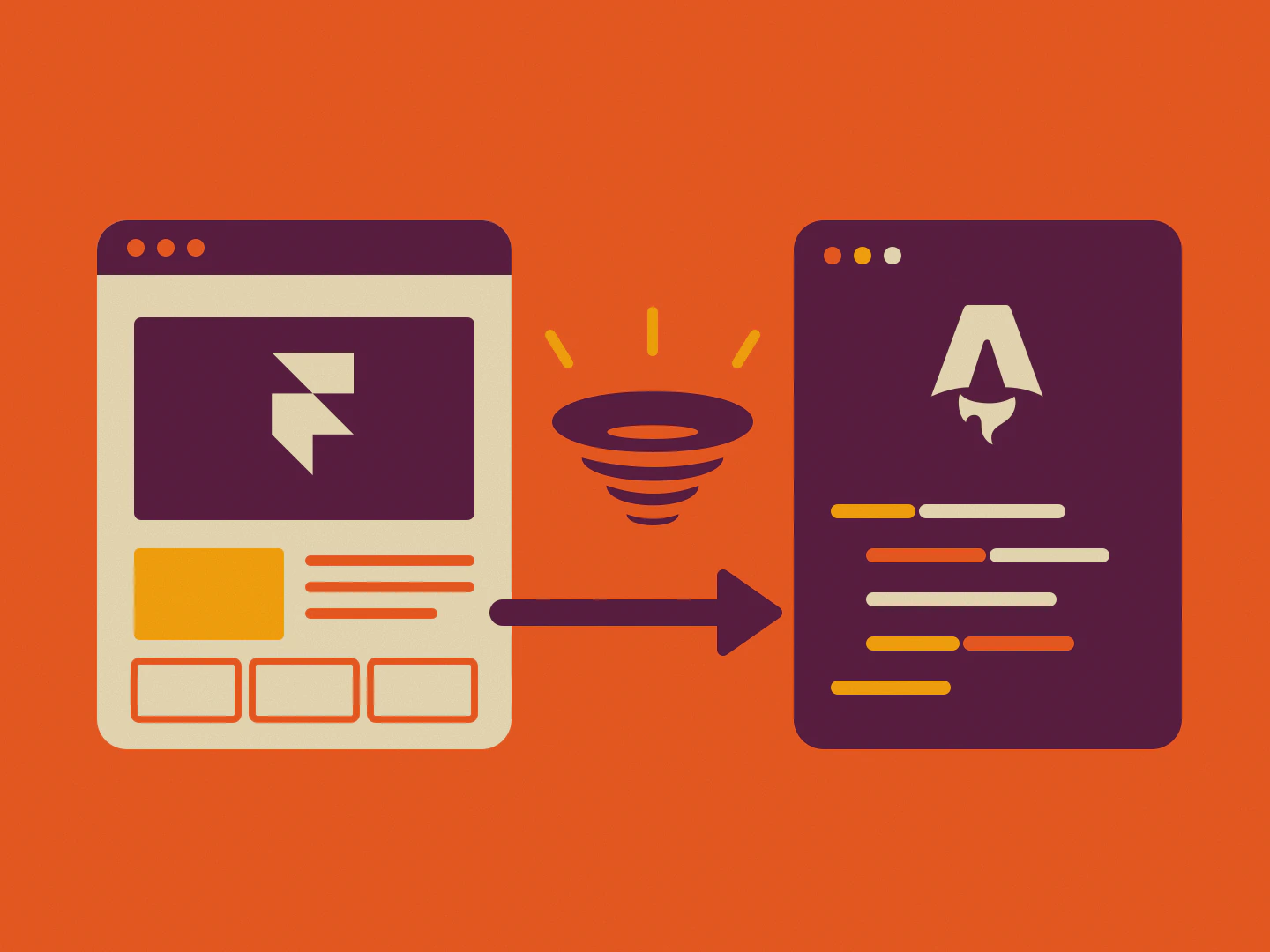
Framer is a great place to design a website. Getting the website out of Framer is the hard part. In its help center, updated in September 2026, Framer says it plainly: “Framer does not offer HTML export for self-hosting” (Framer Help). So a move from Framer to Astro has never been a download. It's a rebuild, a project, or a conversion.
This guide compares the three ways to migrate a Framer site to Astro: rebuilding it yourself, hiring an agency, and converting the project with PullPage Ultra. You'll see what each costs, what carries over, and whether Astro is worth it for your site at all.
Disclosure: PullPage is our product, and Ultra is the Framer to Astro export we sell. The site you're reading started as an Ultra export of our own Framer project. So parts of this guide come from doing the migration, not only from reading about it.
Key Takeaways
Framer has no code export for self-hosting, so every Framer to Astro migration rebuilds or converts the site (Framer Help, 2026).
An agency rebuild typically starts at $5,000 and takes 4 to 6 weeks; PullPage Ultra converts a project from $99.
Move for ownership, Git and hosting freedom, not for speed: Astro and Framer sites pass Core Web Vitals at nearly the same rate.
Why move a Framer site to Astro?
In 2026, Astro is the meta-framework developers are happiest with. The State of JavaScript 2025 survey, with 13,002 responses, found Next.js's “satisfaction ratio now has a 39% gap with leader Astro” (Devographics, State of JavaScript 2025). For a Framer site, the appeal is simpler: you get your website as code you own.
What does that mean day to day? Five things change when a Framer site becomes an Astro project:
You own the code. An Astro project is plain files: pages, components, styles and content. Put it in Git, review changes in pull requests and hand it to any developer.
Little JavaScript by default. Astro's docs list “Zero JS, by default” as a core idea (Astro Docs, Why Astro?). Interactive parts load as “islands” on an otherwise static HTML page (Astro Docs, Islands architecture).
Structured content. Content collections give your blog posts or case studies a schema that's checked when the site builds (Astro Docs, Content collections).
Host it anywhere. A built Astro site is static files. On Cloudflare Pages, “requests to static assets are free and unlimited” on both free and paid plans (Cloudflare Docs, Pages pricing).
It isn't going away. In January 2026, The Astro Technology Company joined Cloudflare. Both said Astro stays open source, MIT-licensed and deployable to any platform (Astro blog, Cloudflare blog).
Adoption backs this up. In the week of October 6, 2026, npm counted more than 7.3 million downloads of the astro package (npm registry). In January, Astro itself reported “almost 1,000,000” a week. Astro 7.0, released on June 22, 2026, focused on build speed (Astro blog, Astro 7.0).
Will Astro make your Framer site faster?
Not by itself. In September 2026, 71.1% of Astro origins and 70.8% of Framer origins passed Core Web Vitals on mobile, against 52.8% of all origins, according to the HTTP Archive Technology Report. On desktop, Framer sites passed slightly more often: 87.9% against 84.6% for Astro.
So don't migrate for a Lighthouse score. Both platforms are already fast, and the numbers above are averages across very different sites. After a move, speed depends on what you ship: image sizes, fonts and how much JavaScript stays on the page. Google's thresholds are the same either way: LCP within 2.5 seconds, INP of 200 milliseconds or less and CLS of 0.1 or less, at the 75th percentile (web.dev, Web Vitals).
Where Astro does help is control. Its <Image /> and <Picture /> components generate responsive srcset values and AVIF or WebP files for you (Astro Docs, Images). On Framer, image handling is Framer's job. On Astro, it's yours, which is a feature and a responsibility.
What we learned from our own exports
We ran into this ourselves. In October 2026 we measured an Ultra export of our demo project, built on a Framer template, with Lighthouse on a throttled mobile profile. It scored 75, with a Largest Contentful Paint (LCP) of 8.9 seconds. The same site on Framer's hosting scored 98, with 1.4 seconds. Was Astro the problem? No. Three details in our exporter were:
Invisible hero text. Fade-in animations started at an opacity of exactly 0. Chrome doesn't count fully transparent elements as content, so the headline only counted once its animation had ended. Framer starts at 0.001, which looks identical and counts right away.
Full-size pictures. Every image shipped as the original upload, up to 5,760 pixels wide, even in 300-pixel cards. Now each picture gets Framer's scaled copies in a
srcset, loads lazily and keeps its aspect ratio, so nothing jumps while it loads.An early background video. An 8.5 MB video loaded together with the page. It now starts once the page has finished loading, as on Framer.
After the fix, the same export scores 99 on mobile with an LCP of 2.1 seconds, and 100 on desktop with 0.3 seconds. The page also got 2.4 MB lighter. Across the ten Framer projects we test against, mobile scores rose clearly on seven and stayed within one point on the other three; none got worse. The lesson applies to any migration, by hand or with a tool: the framework sets the ceiling, and the details decide the score. Check images, fonts and animations before you check the framework.
Should you leave Framer at all?
Stay on Framer if your designers publish changes every day and nobody on the team works with code. In 2026, Framer's Basic plan costs $10 and Pro $30 per site and month, with a custom domain on both (Framer pricing). For many small sites, that's a fair price for a hosted, visual workflow.
Moving starts to make sense when one of these is true:
You've hit the plan limits. Basic includes 30 pages and 1,000 CMS items; Pro 150 pages and 2,500 items, with paid add-ons beyond that (Framer pricing, 2026).
Developers work on the site. They want a repository, pull requests and their own editor, not a canvas.
You hand sites to clients. Agencies can deliver an Astro project the client owns and hosts wherever they like.
You need code-level features. Integrations, server logic or a content model that a visual CMS can't express.
There's also a middle path. If you want to keep designing in Framer but stop paying for Framer hosting, you don't need Astro at all. An HTML export of the published site does that job, as we explain in keep designing in Framer, host anywhere. Astro is for when you want to keep working on the site as code.
What carries over from Framer to Astro?
Because Framer has no code export, nothing carries over on its own: every page, component and collection is rebuilt or converted. NewBase, an agency that does these migrations, describes Framer's CMS as the one part that moves as data, via CSV, while its relationships are lost and the model is redesigned (NewBase, Framer migration).
Here's how the parts of a Framer site end up in Astro, depending on the path you choose:
Part of the site | Manual rebuild | PullPage Ultra |
|---|---|---|
Pages and layouts | Rebuilt from the live site | One Astro page per Framer page, with its SEO settings |
Components | Rewritten by hand | Reusable Astro components |
CMS collections | Imported from CSV, model redesigned | Markdown files in |
Code components | Ported or rewritten | Kept as React islands in |
Animations | Rebuilt or dropped, one by one | Small scripts in |
Forms, Framer Analytics, password protection, Framer Checkout | Rebuilt | Reconnected or rebuilt (they run on Framer's servers) |
Whichever path you choose, plan for the parts that run on Framer's servers. Forms need a form service, analytics needs your own tool, and password-protected pages need a host that can protect them. None of these move with any export, because there's nothing in the published site to export.
What are the three ways to migrate from Framer to Astro?
You can rebuild the site yourself, hire an agency, or convert the Framer project. In 2026, agency rebuilds start at around $5,000 and typically take 4 to 6 weeks (NewBase), while a conversion with PullPage Ultra starts at $99. The right choice depends on whether you want your Framer design 1:1 or a new site.
Compared | Rebuild it yourself | Hire an agency | Convert with PullPage Ultra |
|---|---|---|---|
Cost | Your time (Astro is free) | From $5,000, fixed price | From $99 once (up to 10 pages) |
Time | Days to weeks | Typically 4 to 6 weeks | No rebuild; built before delivery |
What you get | A new site, often from a theme | A rebuilt site, docs, 30 days of support | Your Framer project as an Astro project |
Best for | Developers, or a redesign anyway | Complex sites and integrations | Keeping your design and starting from code |
1. Rebuild it yourself
Growth Method moved its site from Framer to Astro in January 2026. It started from an existing Astro theme, then spent “two days with Claude Code” on branding, 336 blog posts and fixes (Growth Method). That's the realistic DIY route: you rebuild in Astro's way, using your Framer site as a reference, not as a source.
It works well if you're comfortable with Git and npm and wanted a cleaner design anyway. It works less well when the Framer design must stay pixel-for-pixel, because every breakpoint has to be rebuilt by hand.
2. Hire an agency
An agency audits the live site, rebuilds the layouts as components, moves the content and hands over a repository with documentation. NewBase quotes from $5,000, typically 4 to 6 weeks and 30 days of support after launch, with ongoing development at $2,500 a month as an option (NewBase).
That's the right call for sites with many integrations, custom logic, or no developer in the team. It's a lot of budget for a marketing site of 10 or 20 pages.
3. Convert it with PullPage Ultra
Ultra doesn't rebuild your site from screenshots. It reads the Framer project itself through Framer's API and turns its pages, components and CMS content into an Astro project. Before you get it, PullPage runs npm install and npm run build; only a project that builds is delivered.
It's the fastest path if you like your Framer design and want to keep it, but continue as code. You still own everything afterwards: change it, redesign it, or host it anywhere. See how Ultra turns Framer into Astro for the details.
How do you migrate from Framer to Astro with PullPage Ultra?
You need your Framer project link and an API key from Framer. Ultra costs $99 for up to 10 designed pages, $199 for up to 30 and $399 for up to 75, paid once per project (PullPage pricing). Each CMS template counts as one page, and up to 1,000 CMS entries are included.
Create an API key in Framer. Open the project, go to Site Settings, General, API Key, and click Generate. Copy it right away: Framer shows it only once.
Run the free pre-check. Paste the project link and the key. You see the project's pages, CMS and the price before you pay.
Buy once for the project. No subscription. An export that fails doesn't count, and your purchase stays open.
Download your Astro project. The export starts right after payment. PullPage builds it first, then you get a ZIP with a report of known differences.
Build and host it. Run
npm installandnpm run buildon Node.js 22.12 or later, then upload the result to any static host.

PullPage uses the API key only to read your project and never saves it to disk. It holds the key encrypted in memory for up to 24 hours after the pre-check, so the export can start right after payment, and deletes it after the export. Delete it in Framer once your export is done. If a delivered project doesn't build on Node.js 22.12 or later, you have 14 days to tell us, and we fix it or refund the purchase.
What's inside the Astro project?
This is the structure of an Ultra export. Our own website uses the same folders, because it started as one:
Folder | What it holds |
|---|---|
| One Astro page per Framer page, with its SEO settings |
| Your Framer components as reusable Astro components |
| CMS collections as Markdown files |
| Code components as React islands, if the project has any |
| Design tokens, typography and page styles as CSS |
| Images, fonts and the small scripts for animations |
What should you check after the migration?
Most problems after a migration aren't in the design but in the details around it. Google measures the result at the 75th percentile of page loads (web.dev), and search engines remember your old URLs. Work through this list before you point your domain at the new site:
URLs and redirects. Compare the old sitemap with the new one. Every changed path needs a redirect.
Titles, descriptions and social images. Check them page by page, including CMS pages.
Forms. Framer forms send to Framer. Connect a form service or your own endpoint.
Analytics. Framer Analytics stays behind. Add the tool you prefer, with consent if you need it.
Images. Large hero images are the usual reason for a slow LCP. Astro's image components can resize them.
Hosting. Pick a static host and deploy. Our guides cover Cloudflare Pages, Netlify and Vercel.
Then switch the domain, keep the Framer project for a few weeks as a reference, and watch Search Console for crawl errors on old URLs.
Is Astro worth it compared with Framer hosting?
For one site over three years, Framer hosting costs $360 on Basic and $1,080 on Pro at the 2026 list prices (Framer pricing). An Ultra conversion costs $99 to $399 once, and a static Astro site can run on a free plan such as Cloudflare Pages. On cost alone, a conversion of up to 30 designed pages pays for itself within two years on Basic and within seven months on Pro.
Cost isn't the whole story, though. On Framer, a designer changes a headline and clicks Publish. On Astro, someone edits the code or a connected CMS, then the site builds and deploys. If nobody on your team is comfortable with that, the savings disappear into agency hours. More on the money side in what Framer hosting really costs.
Astro is worth it when the site has become a product of its own: content you want to structure, a team that works in Git, or clients who should own their code. It's not worth it for a simple portfolio you update from the canvas once a month.
Ready to see your Framer project as Astro code? Run the free Ultra pre-check: you see your pages, your CMS and the price before you pay anything.
The bottom line
Framer can't export your site as code, so a Framer to Astro migration is always a rebuild or a conversion.
Rebuild yourself for a redesign, hire an agency for complex sites, or convert with Ultra to keep your design as an Astro project.
Move for ownership, Git and hosting freedom. Both platforms are already fast.
Still comparing options? See all Framer export tools compared, or read whether you can export a Framer website at all.
Sources
All sources retrieved on October 14, 2026.
Framer, Pricing
Devographics, State of JavaScript 2025, Meta-Frameworks
HTTP Archive, Technology Report, Core Web Vitals (CrUX), September 2026
web.dev, Web Vitals
Astro, Why Astro?
Astro, Islands architecture
Astro, Content collections
Astro, Images
Astro, Astro 7.0
Cloudflare, Astro is joining Cloudflare
Cloudflare Docs, Pages pricing
NewBase, Framer to Next.js or Astro migration
Growth Method, Why We Moved Our Website from Framer to Astro
Framer is a great place to design a website. Getting the website out of Framer is the hard part. In its help center, updated in September 2026, Framer says it plainly: “Framer does not offer HTML export for self-hosting” (Framer Help). So a move from Framer to Astro has never been a download. It's a rebuild, a project, or a conversion.
This guide compares the three ways to migrate a Framer site to Astro: rebuilding it yourself, hiring an agency, and converting the project with PullPage Ultra. You'll see what each costs, what carries over, and whether Astro is worth it for your site at all.
Disclosure: PullPage is our product, and Ultra is the Framer to Astro export we sell. The site you're reading started as an Ultra export of our own Framer project. So parts of this guide come from doing the migration, not only from reading about it.
Key Takeaways
Framer has no code export for self-hosting, so every Framer to Astro migration rebuilds or converts the site (Framer Help, 2026).
An agency rebuild typically starts at $5,000 and takes 4 to 6 weeks; PullPage Ultra converts a project from $99.
Move for ownership, Git and hosting freedom, not for speed: Astro and Framer sites pass Core Web Vitals at nearly the same rate.
Why move a Framer site to Astro?
In 2026, Astro is the meta-framework developers are happiest with. The State of JavaScript 2025 survey, with 13,002 responses, found Next.js's “satisfaction ratio now has a 39% gap with leader Astro” (Devographics, State of JavaScript 2025). For a Framer site, the appeal is simpler: you get your website as code you own.
What does that mean day to day? Five things change when a Framer site becomes an Astro project:
You own the code. An Astro project is plain files: pages, components, styles and content. Put it in Git, review changes in pull requests and hand it to any developer.
Little JavaScript by default. Astro's docs list “Zero JS, by default” as a core idea (Astro Docs, Why Astro?). Interactive parts load as “islands” on an otherwise static HTML page (Astro Docs, Islands architecture).
Structured content. Content collections give your blog posts or case studies a schema that's checked when the site builds (Astro Docs, Content collections).
Host it anywhere. A built Astro site is static files. On Cloudflare Pages, “requests to static assets are free and unlimited” on both free and paid plans (Cloudflare Docs, Pages pricing).
It isn't going away. In January 2026, The Astro Technology Company joined Cloudflare. Both said Astro stays open source, MIT-licensed and deployable to any platform (Astro blog, Cloudflare blog).
Adoption backs this up. In the week of October 6, 2026, npm counted more than 7.3 million downloads of the astro package (npm registry). In January, Astro itself reported “almost 1,000,000” a week. Astro 7.0, released on June 22, 2026, focused on build speed (Astro blog, Astro 7.0).
Will Astro make your Framer site faster?
Not by itself. In September 2026, 71.1% of Astro origins and 70.8% of Framer origins passed Core Web Vitals on mobile, against 52.8% of all origins, according to the HTTP Archive Technology Report. On desktop, Framer sites passed slightly more often: 87.9% against 84.6% for Astro.
So don't migrate for a Lighthouse score. Both platforms are already fast, and the numbers above are averages across very different sites. After a move, speed depends on what you ship: image sizes, fonts and how much JavaScript stays on the page. Google's thresholds are the same either way: LCP within 2.5 seconds, INP of 200 milliseconds or less and CLS of 0.1 or less, at the 75th percentile (web.dev, Web Vitals).
Where Astro does help is control. Its <Image /> and <Picture /> components generate responsive srcset values and AVIF or WebP files for you (Astro Docs, Images). On Framer, image handling is Framer's job. On Astro, it's yours, which is a feature and a responsibility.
What we learned from our own exports
We ran into this ourselves. In October 2026 we measured an Ultra export of our demo project, built on a Framer template, with Lighthouse on a throttled mobile profile. It scored 75, with a Largest Contentful Paint (LCP) of 8.9 seconds. The same site on Framer's hosting scored 98, with 1.4 seconds. Was Astro the problem? No. Three details in our exporter were:
Invisible hero text. Fade-in animations started at an opacity of exactly 0. Chrome doesn't count fully transparent elements as content, so the headline only counted once its animation had ended. Framer starts at 0.001, which looks identical and counts right away.
Full-size pictures. Every image shipped as the original upload, up to 5,760 pixels wide, even in 300-pixel cards. Now each picture gets Framer's scaled copies in a
srcset, loads lazily and keeps its aspect ratio, so nothing jumps while it loads.An early background video. An 8.5 MB video loaded together with the page. It now starts once the page has finished loading, as on Framer.
After the fix, the same export scores 99 on mobile with an LCP of 2.1 seconds, and 100 on desktop with 0.3 seconds. The page also got 2.4 MB lighter. Across the ten Framer projects we test against, mobile scores rose clearly on seven and stayed within one point on the other three; none got worse. The lesson applies to any migration, by hand or with a tool: the framework sets the ceiling, and the details decide the score. Check images, fonts and animations before you check the framework.
Should you leave Framer at all?
Stay on Framer if your designers publish changes every day and nobody on the team works with code. In 2026, Framer's Basic plan costs $10 and Pro $30 per site and month, with a custom domain on both (Framer pricing). For many small sites, that's a fair price for a hosted, visual workflow.
Moving starts to make sense when one of these is true:
You've hit the plan limits. Basic includes 30 pages and 1,000 CMS items; Pro 150 pages and 2,500 items, with paid add-ons beyond that (Framer pricing, 2026).
Developers work on the site. They want a repository, pull requests and their own editor, not a canvas.
You hand sites to clients. Agencies can deliver an Astro project the client owns and hosts wherever they like.
You need code-level features. Integrations, server logic or a content model that a visual CMS can't express.
There's also a middle path. If you want to keep designing in Framer but stop paying for Framer hosting, you don't need Astro at all. An HTML export of the published site does that job, as we explain in keep designing in Framer, host anywhere. Astro is for when you want to keep working on the site as code.
What carries over from Framer to Astro?
Because Framer has no code export, nothing carries over on its own: every page, component and collection is rebuilt or converted. NewBase, an agency that does these migrations, describes Framer's CMS as the one part that moves as data, via CSV, while its relationships are lost and the model is redesigned (NewBase, Framer migration).
Here's how the parts of a Framer site end up in Astro, depending on the path you choose:
Part of the site | Manual rebuild | PullPage Ultra |
|---|---|---|
Pages and layouts | Rebuilt from the live site | One Astro page per Framer page, with its SEO settings |
Components | Rewritten by hand | Reusable Astro components |
CMS collections | Imported from CSV, model redesigned | Markdown files in |
Code components | Ported or rewritten | Kept as React islands in |
Animations | Rebuilt or dropped, one by one | Small scripts in |
Forms, Framer Analytics, password protection, Framer Checkout | Rebuilt | Reconnected or rebuilt (they run on Framer's servers) |
Whichever path you choose, plan for the parts that run on Framer's servers. Forms need a form service, analytics needs your own tool, and password-protected pages need a host that can protect them. None of these move with any export, because there's nothing in the published site to export.
What are the three ways to migrate from Framer to Astro?
You can rebuild the site yourself, hire an agency, or convert the Framer project. In 2026, agency rebuilds start at around $5,000 and typically take 4 to 6 weeks (NewBase), while a conversion with PullPage Ultra starts at $99. The right choice depends on whether you want your Framer design 1:1 or a new site.
Compared | Rebuild it yourself | Hire an agency | Convert with PullPage Ultra |
|---|---|---|---|
Cost | Your time (Astro is free) | From $5,000, fixed price | From $99 once (up to 10 pages) |
Time | Days to weeks | Typically 4 to 6 weeks | No rebuild; built before delivery |
What you get | A new site, often from a theme | A rebuilt site, docs, 30 days of support | Your Framer project as an Astro project |
Best for | Developers, or a redesign anyway | Complex sites and integrations | Keeping your design and starting from code |
1. Rebuild it yourself
Growth Method moved its site from Framer to Astro in January 2026. It started from an existing Astro theme, then spent “two days with Claude Code” on branding, 336 blog posts and fixes (Growth Method). That's the realistic DIY route: you rebuild in Astro's way, using your Framer site as a reference, not as a source.
It works well if you're comfortable with Git and npm and wanted a cleaner design anyway. It works less well when the Framer design must stay pixel-for-pixel, because every breakpoint has to be rebuilt by hand.
2. Hire an agency
An agency audits the live site, rebuilds the layouts as components, moves the content and hands over a repository with documentation. NewBase quotes from $5,000, typically 4 to 6 weeks and 30 days of support after launch, with ongoing development at $2,500 a month as an option (NewBase).
That's the right call for sites with many integrations, custom logic, or no developer in the team. It's a lot of budget for a marketing site of 10 or 20 pages.
3. Convert it with PullPage Ultra
Ultra doesn't rebuild your site from screenshots. It reads the Framer project itself through Framer's API and turns its pages, components and CMS content into an Astro project. Before you get it, PullPage runs npm install and npm run build; only a project that builds is delivered.
It's the fastest path if you like your Framer design and want to keep it, but continue as code. You still own everything afterwards: change it, redesign it, or host it anywhere. See how Ultra turns Framer into Astro for the details.
How do you migrate from Framer to Astro with PullPage Ultra?
You need your Framer project link and an API key from Framer. Ultra costs $99 for up to 10 designed pages, $199 for up to 30 and $399 for up to 75, paid once per project (PullPage pricing). Each CMS template counts as one page, and up to 1,000 CMS entries are included.
Create an API key in Framer. Open the project, go to Site Settings, General, API Key, and click Generate. Copy it right away: Framer shows it only once.
Run the free pre-check. Paste the project link and the key. You see the project's pages, CMS and the price before you pay.
Buy once for the project. No subscription. An export that fails doesn't count, and your purchase stays open.
Download your Astro project. The export starts right after payment. PullPage builds it first, then you get a ZIP with a report of known differences.
Build and host it. Run
npm installandnpm run buildon Node.js 22.12 or later, then upload the result to any static host.
PullPage uses the API key only to read your project and never saves it to disk. It holds the key encrypted in memory for up to 24 hours after the pre-check, so the export can start right after payment, and deletes it after the export. Delete it in Framer once your export is done. If a delivered project doesn't build on Node.js 22.12 or later, you have 14 days to tell us, and we fix it or refund the purchase.
What's inside the Astro project?
This is the structure of an Ultra export. Our own website uses the same folders, because it started as one:
Folder | What it holds |
|---|---|
| One Astro page per Framer page, with its SEO settings |
| Your Framer components as reusable Astro components |
| CMS collections as Markdown files |
| Code components as React islands, if the project has any |
| Design tokens, typography and page styles as CSS |
| Images, fonts and the small scripts for animations |
What should you check after the migration?
Most problems after a migration aren't in the design but in the details around it. Google measures the result at the 75th percentile of page loads (web.dev), and search engines remember your old URLs. Work through this list before you point your domain at the new site:
URLs and redirects. Compare the old sitemap with the new one. Every changed path needs a redirect.
Titles, descriptions and social images. Check them page by page, including CMS pages.
Forms. Framer forms send to Framer. Connect a form service or your own endpoint.
Analytics. Framer Analytics stays behind. Add the tool you prefer, with consent if you need it.
Images. Large hero images are the usual reason for a slow LCP. Astro's image components can resize them.
Hosting. Pick a static host and deploy. Our guides cover Cloudflare Pages, Netlify and Vercel.
Then switch the domain, keep the Framer project for a few weeks as a reference, and watch Search Console for crawl errors on old URLs.
Is Astro worth it compared with Framer hosting?
For one site over three years, Framer hosting costs $360 on Basic and $1,080 on Pro at the 2026 list prices (Framer pricing). An Ultra conversion costs $99 to $399 once, and a static Astro site can run on a free plan such as Cloudflare Pages. On cost alone, a conversion of up to 30 designed pages pays for itself within two years on Basic and within seven months on Pro.
Cost isn't the whole story, though. On Framer, a designer changes a headline and clicks Publish. On Astro, someone edits the code or a connected CMS, then the site builds and deploys. If nobody on your team is comfortable with that, the savings disappear into agency hours. More on the money side in what Framer hosting really costs.
Astro is worth it when the site has become a product of its own: content you want to structure, a team that works in Git, or clients who should own their code. It's not worth it for a simple portfolio you update from the canvas once a month.
Ready to see your Framer project as Astro code? Run the free Ultra pre-check: you see your pages, your CMS and the price before you pay anything.
The bottom line
Framer can't export your site as code, so a Framer to Astro migration is always a rebuild or a conversion.
Rebuild yourself for a redesign, hire an agency for complex sites, or convert with Ultra to keep your design as an Astro project.
Move for ownership, Git and hosting freedom. Both platforms are already fast.
Still comparing options? See all Framer export tools compared, or read whether you can export a Framer website at all.
Sources
All sources retrieved on October 14, 2026.
Framer, Pricing
Devographics, State of JavaScript 2025, Meta-Frameworks
HTTP Archive, Technology Report, Core Web Vitals (CrUX), September 2026
web.dev, Web Vitals
Astro, Why Astro?
Astro, Islands architecture
Astro, Content collections
Astro, Images
Astro, Astro 7.0
Cloudflare, Astro is joining Cloudflare
Cloudflare Docs, Pages pricing
NewBase, Framer to Next.js or Astro migration
Growth Method, Why We Moved Our Website from Framer to Astro
FAQ
FAQ
Can you export a Framer site to Astro?
Can you export a Framer site to Astro?
Not with Framer itself: its help center says Framer doesn't offer HTML export for self-hosting. You can rebuild the site in Astro by hand, hire an agency, or convert the Framer project with PullPage Ultra, which reads it through Framer's API and delivers an Astro project from $99.
Not with Framer itself: its help center says Framer doesn't offer HTML export for self-hosting. You can rebuild the site in Astro by hand, hire an agency, or convert the Framer project with PullPage Ultra, which reads it through Framer's API and delivers an Astro project from $99.
How long does a Framer to Astro migration take?
How long does a Framer to Astro migration take?
It depends on the path. NewBase quotes typically 4 to 6 weeks for an agency rebuild. Growth Method rebuilt its site from an Astro theme and then spent two days with Claude Code on content and fixes. PullPage Ultra skips the rebuild and builds the converted project before delivery.
It depends on the path. NewBase quotes typically 4 to 6 weeks for an agency rebuild. Growth Method rebuilt its site from an Astro theme and then spent two days with Claude Code on content and fixes. PullPage Ultra skips the rebuild and builds the converted project before delivery.
How much does it cost to migrate from Framer to Astro?
How much does it cost to migrate from Framer to Astro?
Astro itself is free and open source. Agency rebuilds start at around $5,000. PullPage Ultra costs $99 for up to 10 designed pages, $199 for 30 and $399 for 75, paid once per project. Static hosting is free on plans like Cloudflare Pages.
Astro itself is free and open source. Agency rebuilds start at around $5,000. PullPage Ultra costs $99 for up to 10 designed pages, $199 for 30 and $399 for 75, paid once per project. Static hosting is free on plans like Cloudflare Pages.
Is Astro faster than Framer?
Is Astro faster than Framer?
Not on average. In September 2026, 71.1% of Astro origins and 70.8% of Framer origins passed Core Web Vitals on mobile, according to the HTTP Archive. Both are far ahead of the 52.8% web average. After a move, speed depends on your images, fonts and scripts.
Not on average. In September 2026, 71.1% of Astro origins and 70.8% of Framer origins passed Core Web Vitals on mobile, according to the HTTP Archive. Both are far ahead of the 52.8% web average. After a move, speed depends on your images, fonts and scripts.
Do I need to code after moving to Astro?
Do I need to code after moving to Astro?
Someone does. An Astro site is built with npm and usually deployed from Git, and changes happen in code or in a CMS connected through content collections. If nobody on your team works with code, staying on Framer, or exporting HTML while you keep designing in Framer, is often the better choice.
Someone does. An Astro site is built with npm and usually deployed from Git, and changes happen in code or in a CMS connected through content collections. If nobody on your team works with code, staying on Framer, or exporting HTML while you keep designing in Framer, is often the better choice.
What happens to my Framer CMS?
What happens to my Framer CMS?
With PullPage Ultra, CMS collections become Markdown files in src/content, with up to 1,000 entries included, and each CMS template counts as one designed page. In a manual rebuild, agencies like NewBase move the content via CSV and redesign the content model.
With PullPage Ultra, CMS collections become Markdown files in src/content, with up to 1,000 entries included, and each CMS template counts as one designed page. In a manual rebuild, agencies like NewBase move the content via CSV and redesign the content model.
Will my Framer animations work in Astro?
Will my Framer animations work in Astro?
With Ultra, animations are played by small scripts in the public folder, and code components stay as React islands. Each export comes with a report of known differences, so you can check them. In a manual rebuild, each effect is rebuilt or dropped one by one.
With Ultra, animations are played by small scripts in the public folder, and code components stay as React islands. Each export comes with a report of known differences, so you can check them. In a manual rebuild, each effect is rebuilt or dropped one by one.
What doesn't carry over from Framer?
What doesn't carry over from Framer?
Anything that runs on Framer's servers: forms, Framer Analytics, password protection and Framer Checkout. They need to be reconnected or rebuilt with other services, whichever migration path you choose. Fonts, code components and other third-party assets keep their own licenses.
Anything that runs on Framer's servers: forms, Framer Analytics, password protection and Framer Checkout. They need to be reconnected or rebuilt with other services, whichever migration path you choose. Fonts, code components and other third-party assets keep their own licenses.
Is Astro still open source after joining Cloudflare?
Is Astro still open source after joining Cloudflare?
Yes. In January 2026, The Astro Technology Company joined Cloudflare, and both companies said Astro stays open source, MIT-licensed and deployable to any platform, not only Cloudflare. npm counted more than 7.3 million downloads of the astro package in one week of October 2026.
Yes. In January 2026, The Astro Technology Company joined Cloudflare, and both companies said Astro stays open source, MIT-licensed and deployable to any platform, not only Cloudflare. npm counted more than 7.3 million downloads of the astro package in one week of October 2026.
Can I keep designing in Framer after migrating?
Can I keep designing in Framer after migrating?
With Ultra, one purchase covers one successful export of the project; later changes happen in the Astro code, or you buy a new export. If you want to keep Framer as your editor and only stop paying for Framer hosting, an HTML export of the published site is the better fit.
With Ultra, one purchase covers one successful export of the project; later changes happen in the Astro code, or you buy a new export. If you want to keep Framer as your editor and only stop paying for Framer hosting, an HTML export of the published site is the better fit.